Showing Agent Instructions
After you create your profile and our team has checked your license, enter your banking information and set the location on your map on your profile page where you are willing to show homes. You can then accept showing requests in Showami. You will receive texts and/or push notifications when requests become available.
Home Showing Instructions
A buyer's agent needs someone to walk a property with their client. You show up, you show the home, you lock up, you leave feedback, then you get paid. (These steps are for both regular and rental showings.)
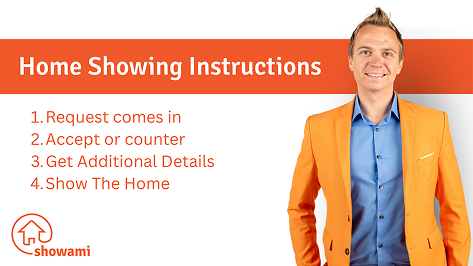

Home Showing Main Steps
-
Step 1: The request comes in
You get a text or push notification with the address, the price offered, any public notes, and who's requesting. Read the public notes before you decide, if you'd like to pick up the request.
-
Step 2: Accept or counter-propose
Take it as posted, or counter on price or time if the offer or window doesn't work for you.
-
Step 3: Get more details
Once accepted, you'll have the initiating agent's name, phone, and email. Plus the name and phone of the person you'll be meeting for the showing. Most of your communication stays with the initiating agent.
-
Step 4: Confirm the time slot
Some showings are ready to go the moment you accept. Others need you to confirm availability with the listing agent. Showami builds in a short delay on requests where the showing agent needs to schedule the showing, so you have time to check before accepting the appointment.
-
Step 5: Show the home
Arrive on or before the scheduled time, dressed professionally. Stick to public facts like price and square footage. Do not give an opinion of price or condition on the home or neighborhood and soliciting (even a simple business card) is strictly prohibited.
-
Step 6: Wrap up
Lock up, leave feedback for the buyer's agent through Showami messaging, and you're done. Get paid (or money will be sent to your broker) between 5-8 business days.
Keep In Mind - This isn't a way to pick up new clients. Do not hand out your business card and don't follow up with the buyer after the showing.
Open House Instructions
A listing agent needs someone to host an open house for their listing. Host with the utmost professionalism, by placing signs in the yard, making sure there are fliers about the home and the home smells nice.
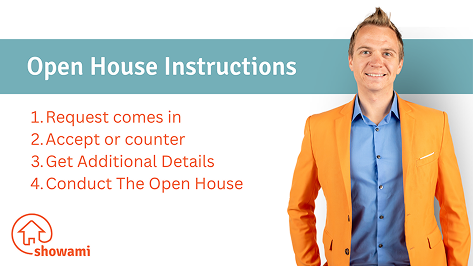
Open House Main Steps
-
Step 1: Request comes in
Text or push notification with the payment offered and, critically, who keeps any unrepresented leads that walk in the door. We require initiators to spell this out in the public notes — check it before you accept.
-
Step 2: Accept or counter
Counter on time or price if needed, or accept as posted.
-
Step 3: Get more details
You'll get direct contact with the person who set up the open house, plus private notes covering any marketing material to pick up and home features worth highlighting to visitors.
-
Step 4: Handle the leads
If the initiator wants leads sent their way, they'll share a link in the private notes. It will be your task to log every unrepresented and/or represented visitor there. If they'd rather you keep the leads yourself, that's fine too; it'll be spelled out in the request.
-
Step 5: Confirm and check-in
On the day, tap to verify you're still coming. When you're near the property, check-in, then plan to be there for the entire posted window.
-
Step 6: Document and wrap
Photograph your open house setup and submit it in Showami as proof of a professional showing. Send any required photo confirmations to the initiating agent. Pass along anything they asked for, clean up, lock up.
Keep In Mind - If the duration is posted as two hours, the initiating agent is expecting you there for the full two hours. Even if no one shows up.
Assessment & PDC Instructions
A requester needs eyes on a property they can't get to. There's no buyer to meet and no client to manage — you go to the address, document exactly what was asked for, and submit it in Showami.

Assessment & PDC Main Steps
-
Step 1: The request comes in
You get a text or push notification with the address, the window to get it done, the payment offered, and the public notes.
-
Step 2: Review the details
Read the public notes carefully. No two reports are the same — some are a standard photo set, others add utility checks, appliance checks, or exterior and landscape condition. Make sure you can capture everything being asked for before you pick it up.
-
Step 3: Accept the request
You'll acknowledge that you're collecting the data exactly as the requester specified. Counter on price or time if the offer doesn't work. Once you accept, the request is confirmed — there's no listing agent to schedule with.
-
Step 4: Get the access details
After accepting, you'll see the private notes, the access information, and any supplemental documents, along with the requester's contact info. Message them in Showami if anything is unclear before you drive out.
-
Step 5: Conduct the report
Arrive inside the posted window and check in through Showami. Work the request item by item and take clear, well-lit photos — the requester is making a decision on a property they've never seen in person.
-
Step 6: Submit and check out
Upload your photos in Showami, then check out and mark the request completed, partially completed, or not completed. If anything was left undone, add notes so the requester knows why. Get paid (or money will be sent to your broker) between 5-8 business days.
Keep In Mind - Document, don't evaluate. Do not give an opinion of value or condition — that is the requester's call. If you cannot get access, message them through Showami before you leave the property.
Conducting Tasks Instructions
A task list is one or more real estate errands at one or more addresses — a lock box install, sign running, a property check, a final walk-through. Each task has its own completion window, and you work through them one at a time.
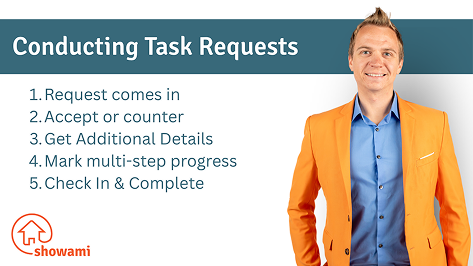
Conducting Tasks Main Steps
-
Step 1: The request comes in
You get a text or push notification with the task types, the addresses, the completion window for each task, and the payment offered for the whole list.
-
Step 2: Accept or counter
Accept the task list as posted, or counter on price. Time can't be countered on a task list — a single list may span several different windows.
-
Step 3: Get additional details
Step requirements stay hidden until you accept. Once the list is yours, every task opens up with its full description and address, plus direct contact with the initiating agent.
-
Step 4: Work the window, not the clock
Each task shows a completion window. Arrive and complete it at any point during that window — not necessarily at the start time. Check in through Showami once you are at the property.
-
Step 5: Mark multi-step progress
Complete the tasks one at a time. Upload photos where they are required, then mark each task complete, or unable to complete with notes explaining what happened.
-
Step 6: Check in and complete
The initiating agent reviews and approves each task as you submit it. Once the last task is approved the list is closed out. Get paid (or money will be sent to your broker) between 5-8 business days.
Keep In Mind - If photos are required on a task, you cannot mark it complete without them. Give the initiating agent enough detail in your notes that they never have to ask a follow-up question.